
How to Stop Getting Emails From a Substack Writer (Without Unsubscribing)
A simple guide to turning off emails for a Substack publication while still reading posts online.

I’ll make this short and sweet.
I’ve been taking the time to get to know my subscribers lately and there is ONE thing I learned that they do not like:
Receiving a lot of emails (haha fail).
Soooo here is how to change your email delivery preferences!!!
Step 1:
Go to the Substack publication you’re subscribed to (I’ll use screen shots from my publication as an example)
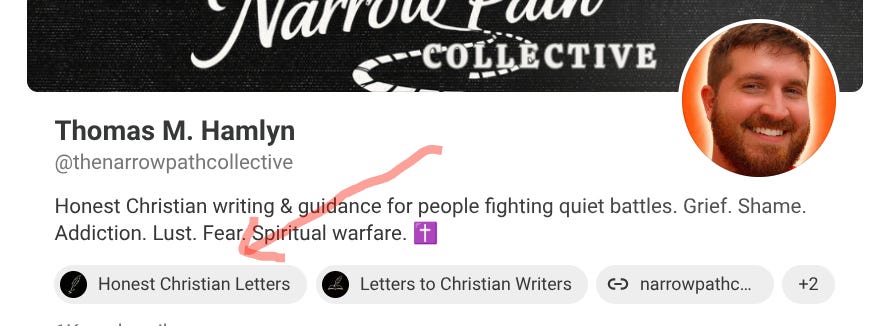
Step 2:
Click their profile icon (top right) → Manage subscription
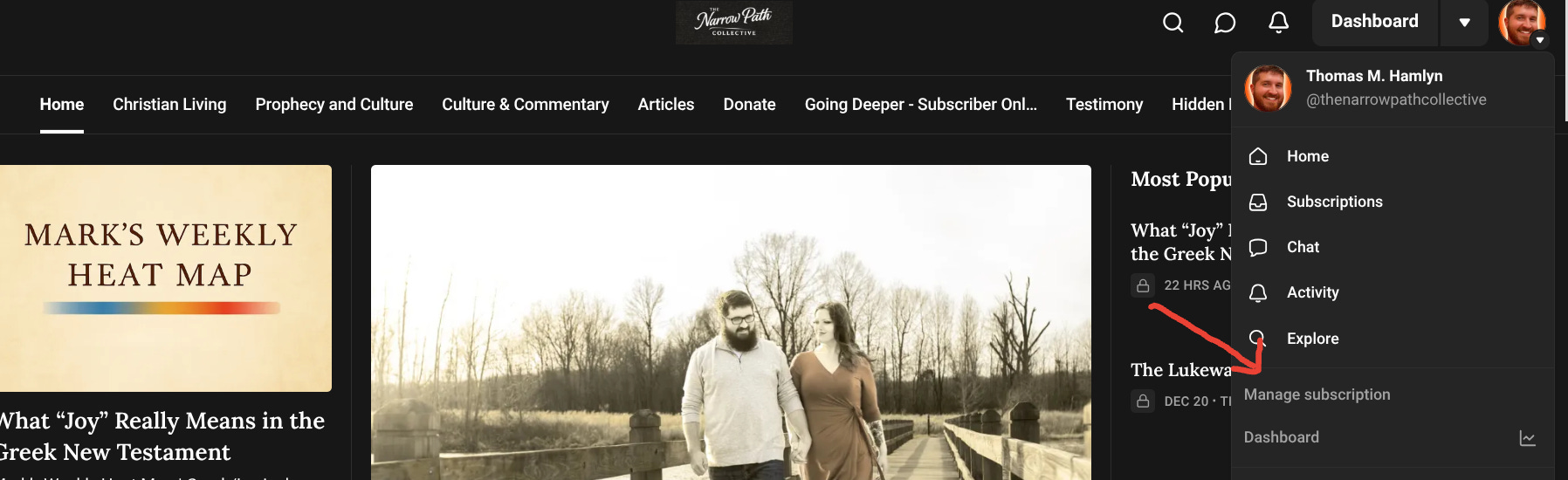
Step 3:
Under Emails, toggle off the kinds of posts you don’t want emailed
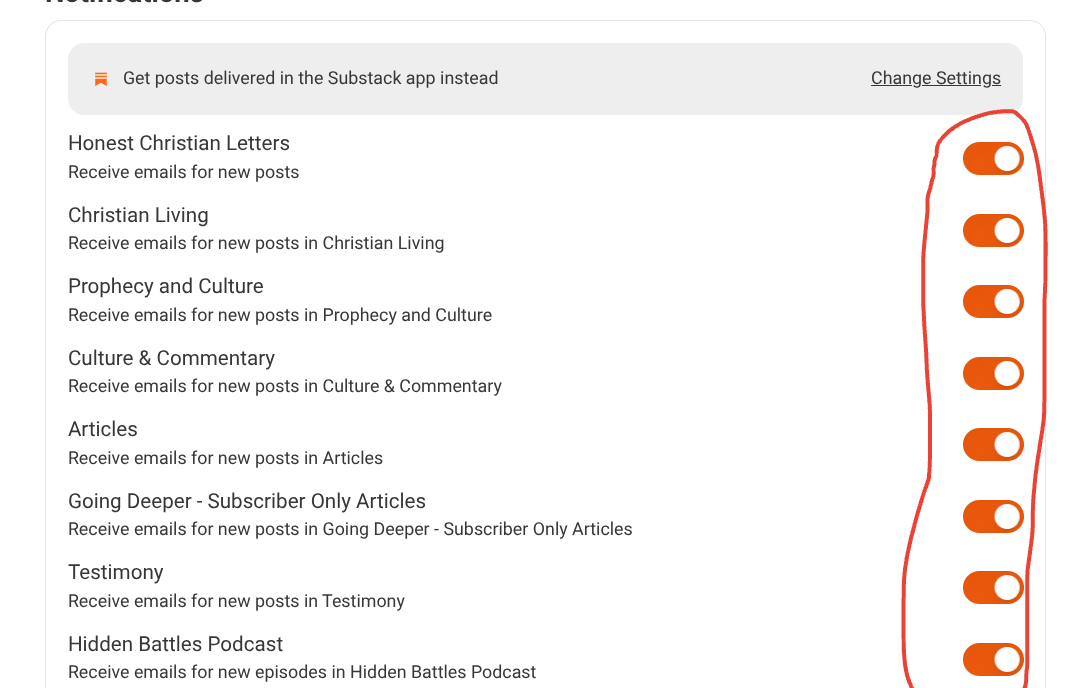
You’ll stay subscribed, but you won’t get emails. You can still read everything on the site or app
How to manage all subscriptions in one place
Go to substack.com
Click their profile → Settings
Notifications → Change Settings
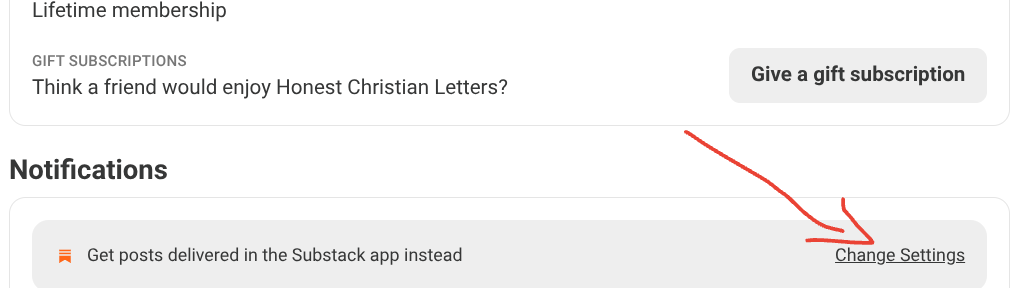
Find Newsletter delivery and turn off email delivery from there
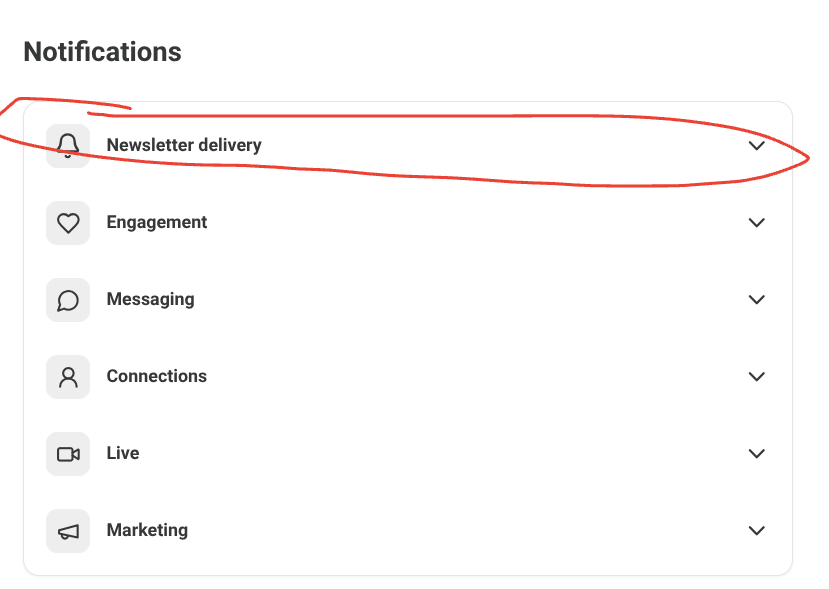
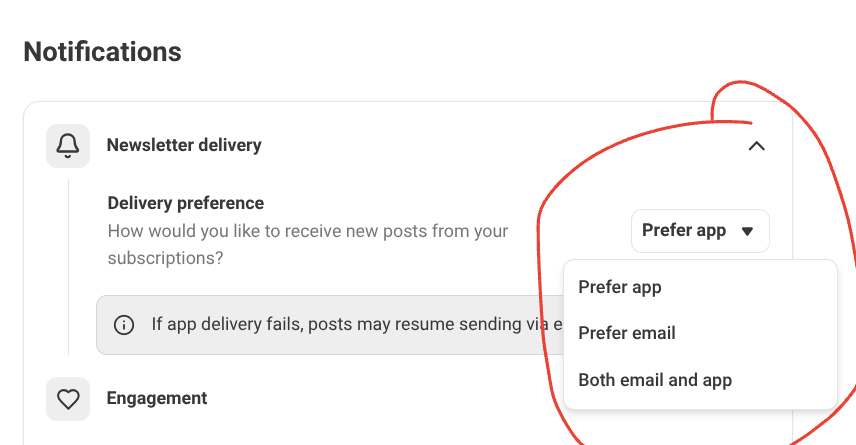
That’s it! Now you know how to choose what emails/newsletters to receive from your favorite writers!
I wish that you could subscribe without needing to be notified via app or email, period. I pray for the day that Substack adds this option. :)
This is relevant as I like to read on the app and not have to get more emails that I have to delete along with all the other emails I already receive and don’t want. I don’t know why you can’t just subscribe on the app without having to give your email in the first place. It makes me not want to subscribe to more people.