

The Hidden Substack Growth Method Nobody Is Talking About (Because They Don’t Know It Exists)
A strategy so simple… even AI couldn’t figure it out.


Well….good day Christian writers! Guess what? I have some excellent news for you! And, no. This isn’t sarcasm.
Ever felt like growing on Substack sometimes feels like standing outside in the rain holding a soggy cardboard sign that says “Please notice me?” SAME. You type up your best post and send it into the oblivion hoping the algorithm will pick it up. Meanwhile….It’s somewhere taking a nap.
We keep getting told that you cant figure out Substack’s algorithm…you just restack, hope, and pray your notes gain momentum.
But I’ve discovered something. And, I’ve been keeping this secret to myself for months.
I found a backdoor.
And, no, this isn’t some weird trick or hack.
Definitely not one of those “posts at 11:07 p.m.” superstitions.
A real, quiet hallway nobody seemed to walk down —a narrow path if you will -
and once I stepped inside, things changed fast.
And the part that still cracks me up?
AI didn’t find this.
The growth gurus didn’t find it.
None of the big writers found it.
I found it — on accident — scrolling Pinterest on my couch.
I didn’t take strategy sessions or one of those “fake” growth courses. (Which by the way is ridiculous. I’ve seen growth courses go upwards of $1000!)
So what exactly did I do? I just simply paid attention to something everyone else ignored. That’s it.
And before we go further, let me show you why this matters…
Proof Before Anything Else
Here’s the part that still blows my mind:
One of my paid subscribers actually came through an image I shared on Notes — that’s when it clicked for me that this method was genuinely reaching people.
I didn’t type up some huge article or a long, fancy post. Nope. Just a single image from Pinterest.
And I’ve only been here 7 months.
So if you’re thinking:
“Yeah okay… another guy claiming he has some secret.”
Thats okay. I brought receipts:
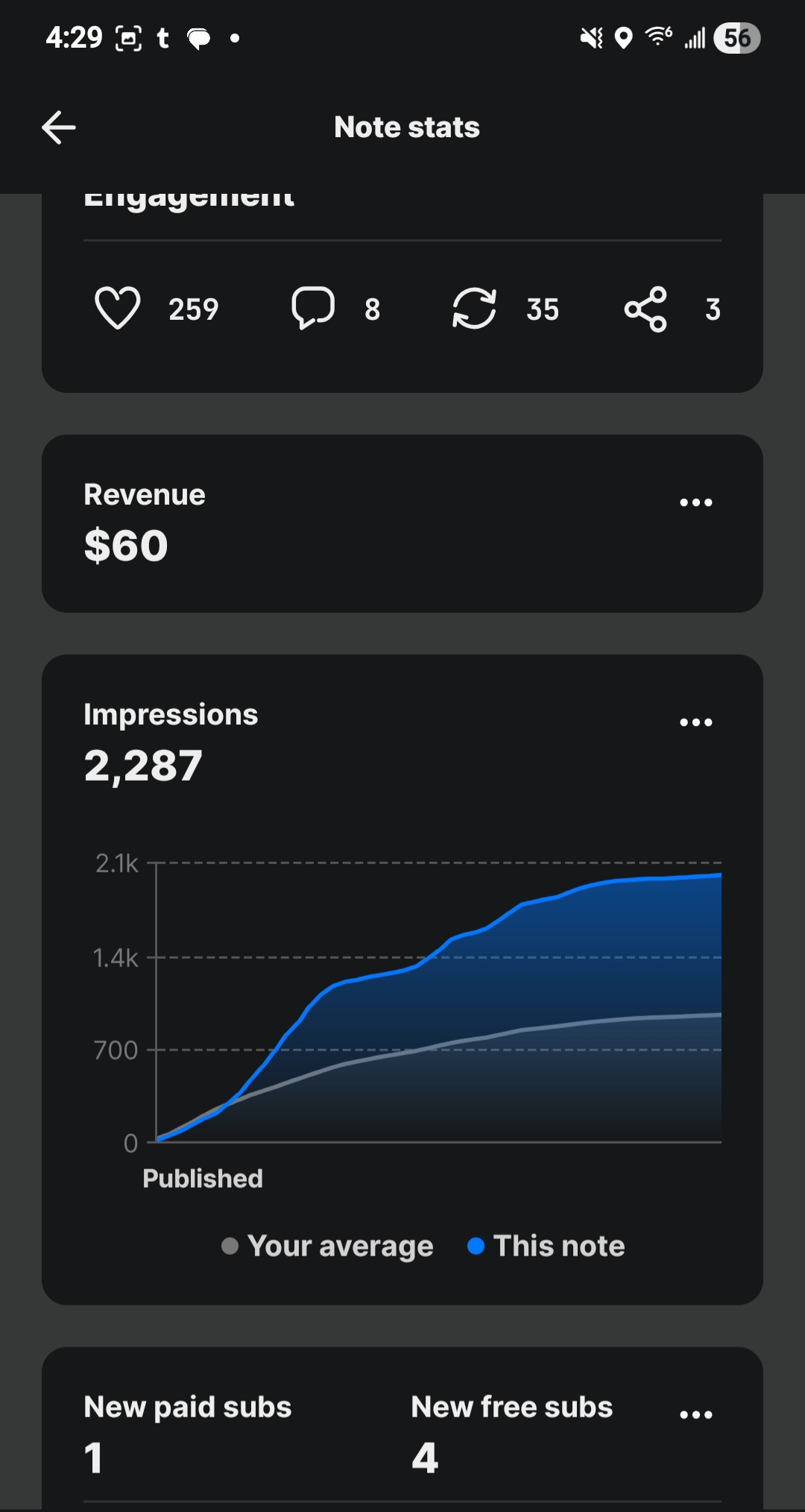
This image ALONE got me 95 new subscribers.
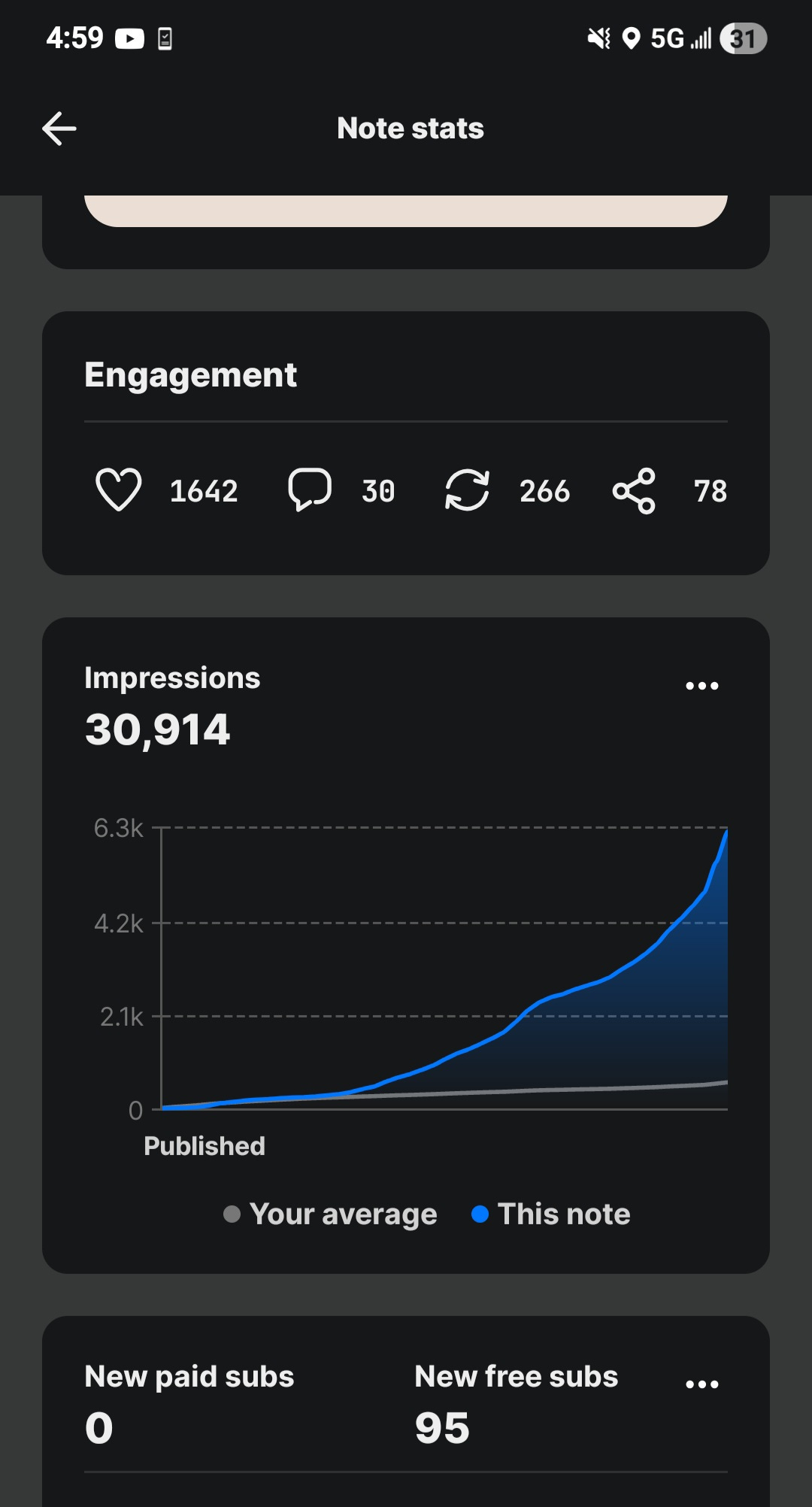
This isn’t luck.
It’s not viral magic.
It’s the Pinterest → Notes → Substack method actually working.
Just a simple system nobody else is talking about.
People Are Doing Step One — But Nobody Is Doing Step Two
If you need to learn how to curate, remix and create images on Pinterest, this article explains it perfectly 👇

There are countless tutorials online about how to:
save pins
curate boards
organize images
collect Christian wallpapers
find “aesthetic” faith content
People love learning how to save things. But almost nobody takes it past Step One.
Everyone stops at:
“Cool, now my boards look neat.”
I asked a different question:
What if I USE these pins somewhere nobody else is using them?
Pinterest is overflowing with:
scripture graphics
Christian wallpapers
devotional quotes
healing images
prayer visuals
I didn’t collect them.
I turned Pinterest into a Substack content bank.
So now each image becomes:
a scroll-stopper on Notes
a peaceful pattern interrupt
a link magnet
a follower
sometimes… a paid subscriber
Pinterest → Notes → Substack
That one shift changed everything.
But then something else clicked…
The “Moment Strategy” — How to Ride Waves Without Chasing Them
Big writers have their own rhythm.
When something starts blowing up on notes, they jump in fast with essays, reactions, and thought-pieces.
And honestly? There’s nothing wrong with that at all. Their approach works for them.
But sometimes you’ve gotta step off the main road for a minute.
You’ve gotta look at what everyone else is doing…
and then do the thing nobody is thinking about.
It’s the quiet ideas—the ones sitting in the corner minding their business—that end up turning into gold.
(And by the way, here’s another solid article you can dig into if you want to study the “moment” pattern a little more. You’re welcome.) 👇👇👇

So what do I do?
I drop visuals.
While the platform is shouting,
I’m posting:
a Bible verse
an aesthetic Christian wallpaper
a gentle reminder I saved from Pinterest
And people stop scrolling because visuals win against paragraphs — every time.
Here’s the breakdown:
While the platform is shouting and everyone’s firing off thought - takes and extremely long paragraphs……
YOU can be posting things that actually feed people:
a Bible verse
an aesthetic Christian wallpaper
a gentle reminder the Holy Spirit used to nudge me that morning
Something simple, peaceful, and points to Jesus.
Because visuals don’t just “win against paragraphs.”
They settle the room and calm the heart.
They bring Scripture into places filled with noise.
They slip the Word of God into timelines that forgot they needed it.
The Gut Punch
Here’s the truth no one talks about:
You know who restacks visuals?
Well, It’s not the influencers.
Or the 20k follower crowd.
Not even the Substack “thought leaders.”
It’s the Christians.
The prayer warriors.
The church ladies with flower profile pictures.
They restack EVERYTHING visual.
A verse graphic?
Restacked.
A peaceful wallpaper?
Restacked.
A gentle reminder?
Restacked.
They’re not trying to sound deep.
They’re just looking for something encouraging.
Influencers chase attention.
The Believers quietly create it.
And then something else clicked…
The Gentle Rhythm of Christian Notes
Christian Notes moves fastest in the morning, around lunch, and early afternoon.
It’s not an algorithm trick —
Just older believers following their natural rhythms. They LOVE routine.
Morning (6–9 AM)
Coffee. Bible. Encouragement.
They restack everything peaceful.
Lunch (11–1 PM)
A second wave of sharing.
Early Afternoon (1–3 PM)
A quiet third bump.
After 4 PM?
Things naturally slow down. (This is during the weekday. Weekends are a little random. Forget about Sundays, we’re worshiping Jesus. Hallelujah!!)
So when your visuals hit Notes in the morning and midday?
They land exactly when believers want something calm.
You’re not gaming anything.
Just simply showing up when your audience is actually there.
And the wildest part?
Pinterest is only HALF the strategy.
The real secret — the part nobody is talking about —
lives on a platform most people forgot exists…
⭐ THE TUMBLR → NOTES PIPELINE
The second half of the system nobody sees coming.
Most people think Tumblr died twelve years ago.
They think it’s a fossil.
A leftover from 2012 emo kids, fanfiction, and moody GIFs of raindrops hitting windows.
Perfect.
Let them think that.
Because Tumblr is exactly what Pinterest was five years ago:
full of visuals
full of inspiration
full of GIFs
full of Scripture edits
full of aesthetic Christian stuff
and most importantly…
NOBODY is using it for Substack.
Not one growth guru mentions it.
No one talks about it in Notes.
AI didn’t even suggest it when we researched “visual platforms to drive Substack traffic.”
This is why it’s powerful.
Tumblr is your content bank.
Your storage unit.
Your secret archive.
Your wilderness training ground.
Your “digital cave” where you gather the things everyone else walked past.
Let me break it down step by step.
⭐ 1. Tumblr Is Your Private Visual Warehouse
This isn’t where you try to go viral.
This is where you quietly save:
Christian wallpapers
Scripture edits
Motion graphics
Bible verse GIFs
Prayer GIFs
Aesthetic backgrounds
Vintage photos
Moody sky shots
Cross silhouettes
Anything with emotion, texture, or atmosphere
You create:
collections
boards
tags
drafts
“rainy day” folders
“moment” folders
“encouragement” folders
Tumblr becomes your visual pantry.
You don’t hoard these to admire them.
You hoard them because they feed the second platform…
⭐ 2. Save GIFs on Tumblr (the hidden booster)
GIFs are GOLD on Substack Notes.
Here’s why:
They auto-play
They catch the eye
They interrupt scrolling
They feel personal
They feel emotional
They stand out in a sea of text
Tumblr is the best GIF archive on the internet.
Every mood.
Every Scripture.
Every style.
Every emotion.
To use them:
First, create an account. (obviously) THEN:
Save the GIF from Tumblr to your phone or laptop:
Go to “home” and scroll to the bottom on the left tab and click “create”
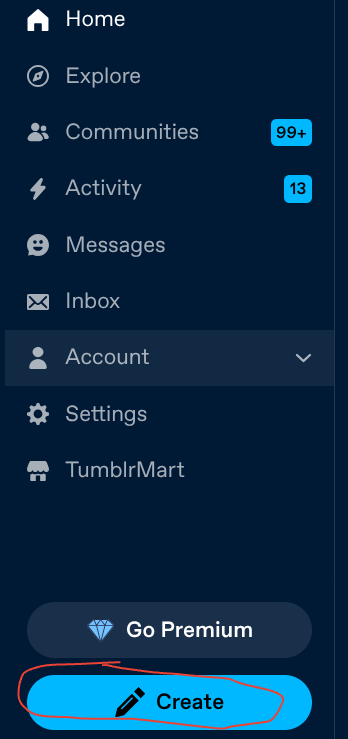
Click on Photo:

From here it will pull this up with these two little grey boxes:

See the red “X” in the upper right hand corner?? Go ahead and click on that. It should bring you to this now:
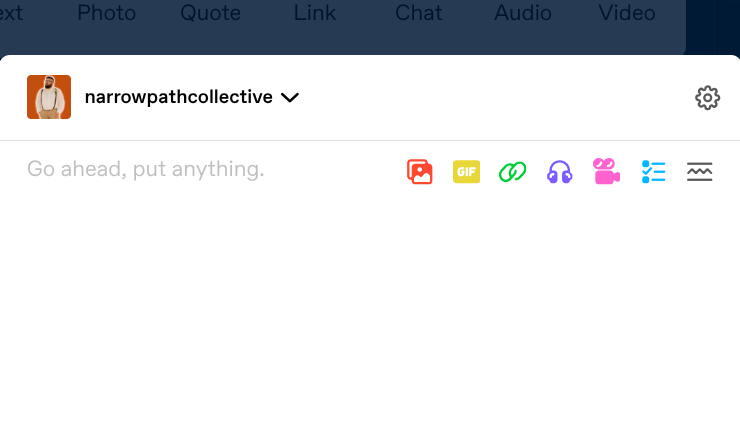
Now you can search a TON of GIFS. (using the GIF icon on the right) I’ll go ahead and search for one just to show you an example.
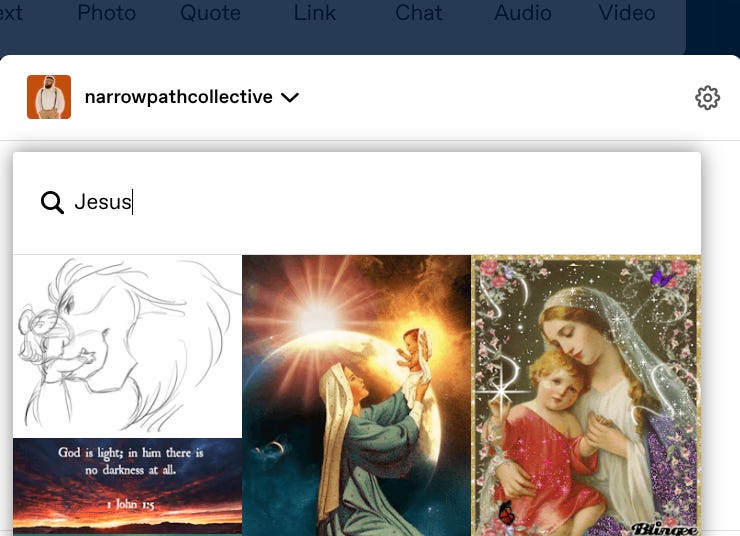
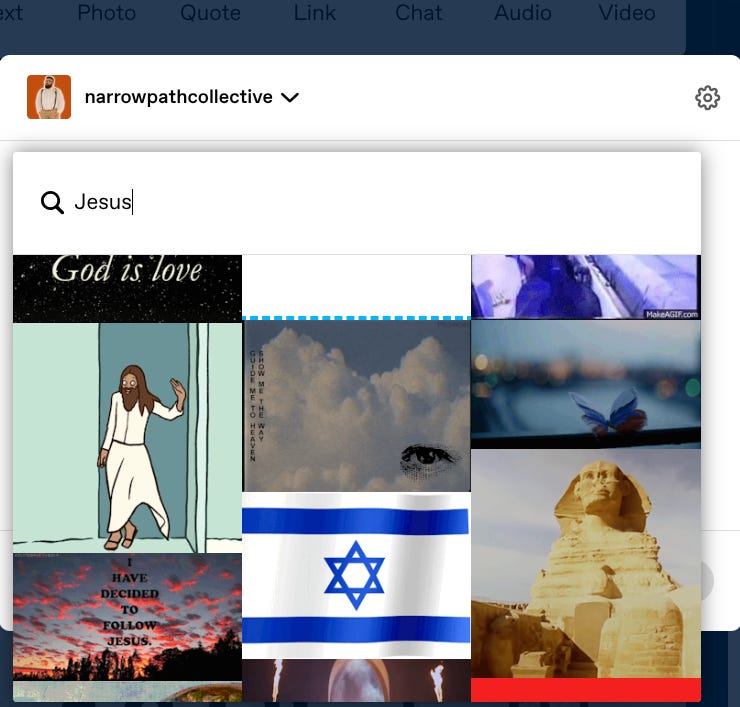
Now….it should be noted that THIS WILL sometimes bring up inappropriate stuff….Please skip over these and don’t post anything blaspheming God or Jesus Christ.
Go ahead and right click on one you like and choose “save image as.” Also, if you don’t already, create a folder on your computer to save your GIFs to

Depending on what computer you use….sometimes it automatically saves as a webp like so:

Easy fix. Just delete”webp” after the period and replace it with “gif” like so:

Now you have a saved GIF ready to upload to Substack notes. Just upload it like you would a normal image.
GIF → Emotion
Emotion → Restacks
Restacks → Eyes
Eyes → Clicks
Clicks → Subs
Subs → Paid Trials
Trials → Growth
People underestimate GIFs because they look “simple.”
Simple is what wins.
⭐ 3. Using GIPHY (your motion-fuel source)
If Tumblr is the pantry,
GIPHY is the factory.
Here’s how GIPHY fits into the system:
✔ Aesthetic Christian GIFs
Scripture verses that animate.
Cross silhouettes that flicker.
Soft movement with gentle backgrounds.
✔ Prayer GIFs
Hands folded.
Candles flickering.
Words like “Praying for you today.”
✔ Atmosphere GIFs
Rain on glass
Slow clouds
Sunset glows
Fireplace warmth
Soft bokeh lights
People LOVE atmospheric motion.
It feels like breathing room.
✔ How to use GIPHY effectively:
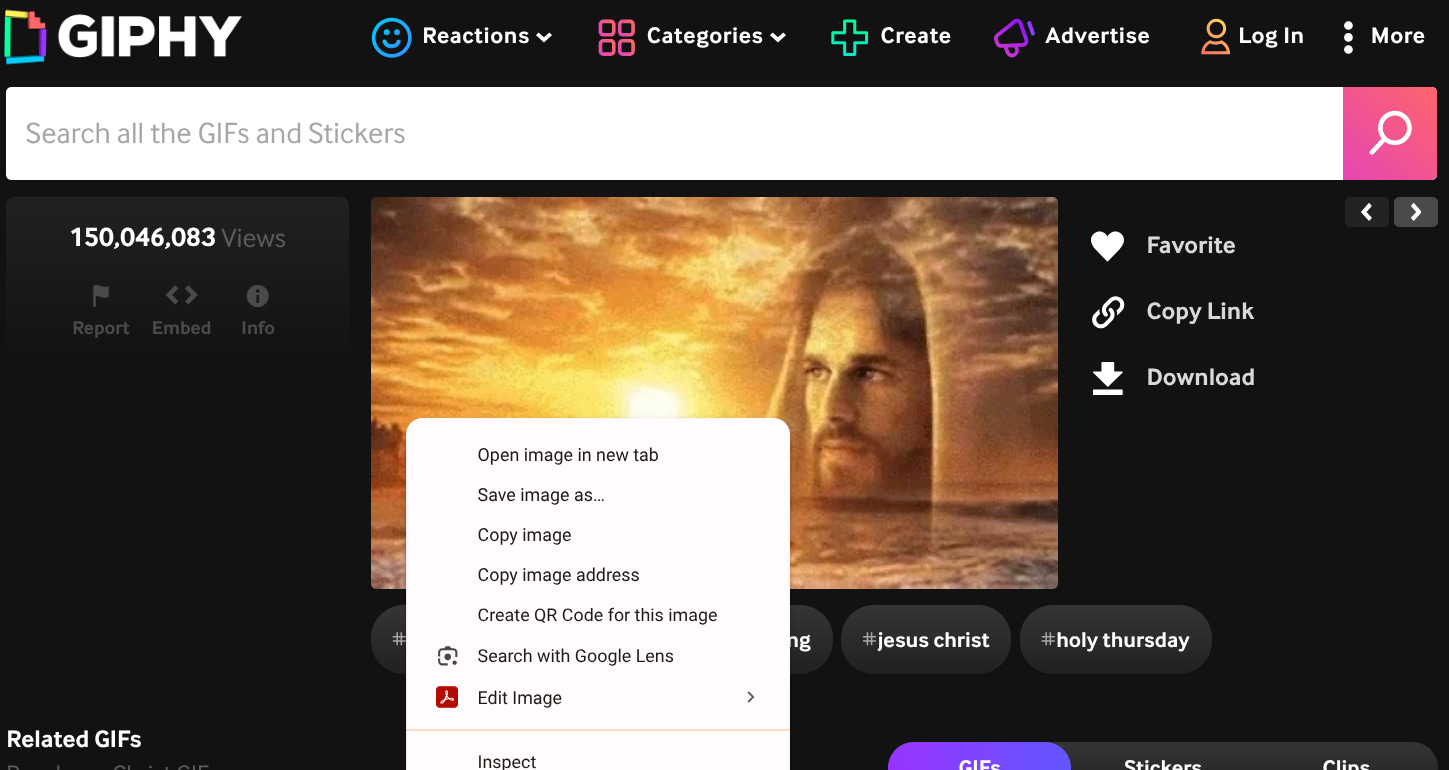
Go to giphy.com
Search for anything faith-based:
“Jesus aesthetic”
“pray gif”
“Christian background”
“scripture motion”
“peaceful loop”
“bible verse gif”
Right click and save image as a GIF.
Post it on Substack Notes with one short line:
Visual → Emotional → Curious → Click → Subscribe
It works every single time.
⭐ 4. How Tumblr + GIPHY feed your Substack growth
Pinterest gives you still images.
Tumblr + GIPHY give you motion.
Still images stop the scroll.
GIFs stop the thumb.
Together they create the perfect cycle:
Pinterest → Notes → Subscribers
(for calm, aesthetic, peaceful visuals)
Tumblr → Notes → Restacks
(for emotional or moody visuals)
GIPHY → Notes → Engagement
(for movement, attention, and atmosphere)
You’re not just posting pictures.
You’re posting feelings.
And feelings spread faster than ideas.
⭐ 5. Your Tumblr → Notes flow (step-by-step)
Here’s the actual pipeline you’ll use:
Step 1: Save everything good on Tumblr
Don’t judge quality yet — save first.
Step 2: Sort into folders
Make folders like:
Aesthetic Christian
Prayer GIFs
Emotional Moments
Midnight Thoughts
Hope Reminders
Jesus Quotes
Scripture Motion
Comfort
Worship Atmosphere
Step 3: Each morning, pick ONE Tumblr visual
Something simple.
Step 4: Drop it into Notes with a single sentence
Examples:
“Needed this today.”
“A gentle reminder for you.”
“God is still here.”
“Peace over panic.”
“For anyone struggling tonight.”
Step 5: Reply to your own post with your article link
This is the key.
You use the momentum from the visual to carry your article.
⭐ 6. Why this works spiritually AND algorithmically
Spiritually:
People scrolling on Notes are overwhelmed.
Discouraged.
Tired.
Searching.
You drop:
verses
reminders
comfort
calmness
beauty
…and God uses it.
This is ministry.
⚙️ Algorithmically:
Substack’s Notes feed is 97% text.
Visuals are rare.
Motion GIFs are even rarer.
Rarity = attention
Attention = traction
Traction = restacks
Restacks = new eyes
New eyes = new subs
Subs = paid trials
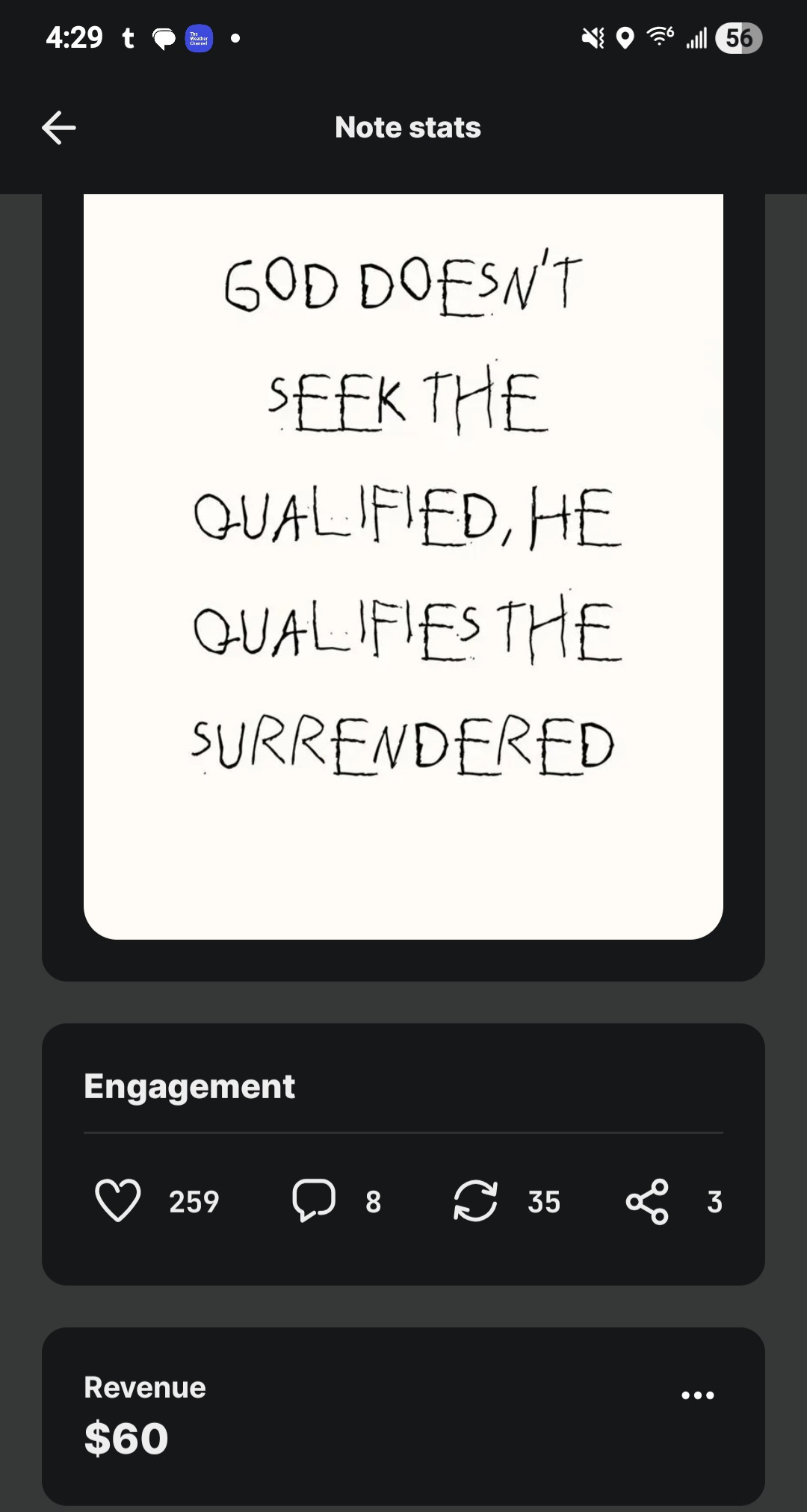
This is growth.
You’re blending:
Kingdom work
emotional atmosphere
visual power
timing
demographics
and zero competition
Nobody else is doing this.
That’s why it works.
Hope this helped! Now you have my work flow. Take someone out to eat this weekend. I just saved you anywhere from $300 to $1000 on scammy growth courses.